


Description
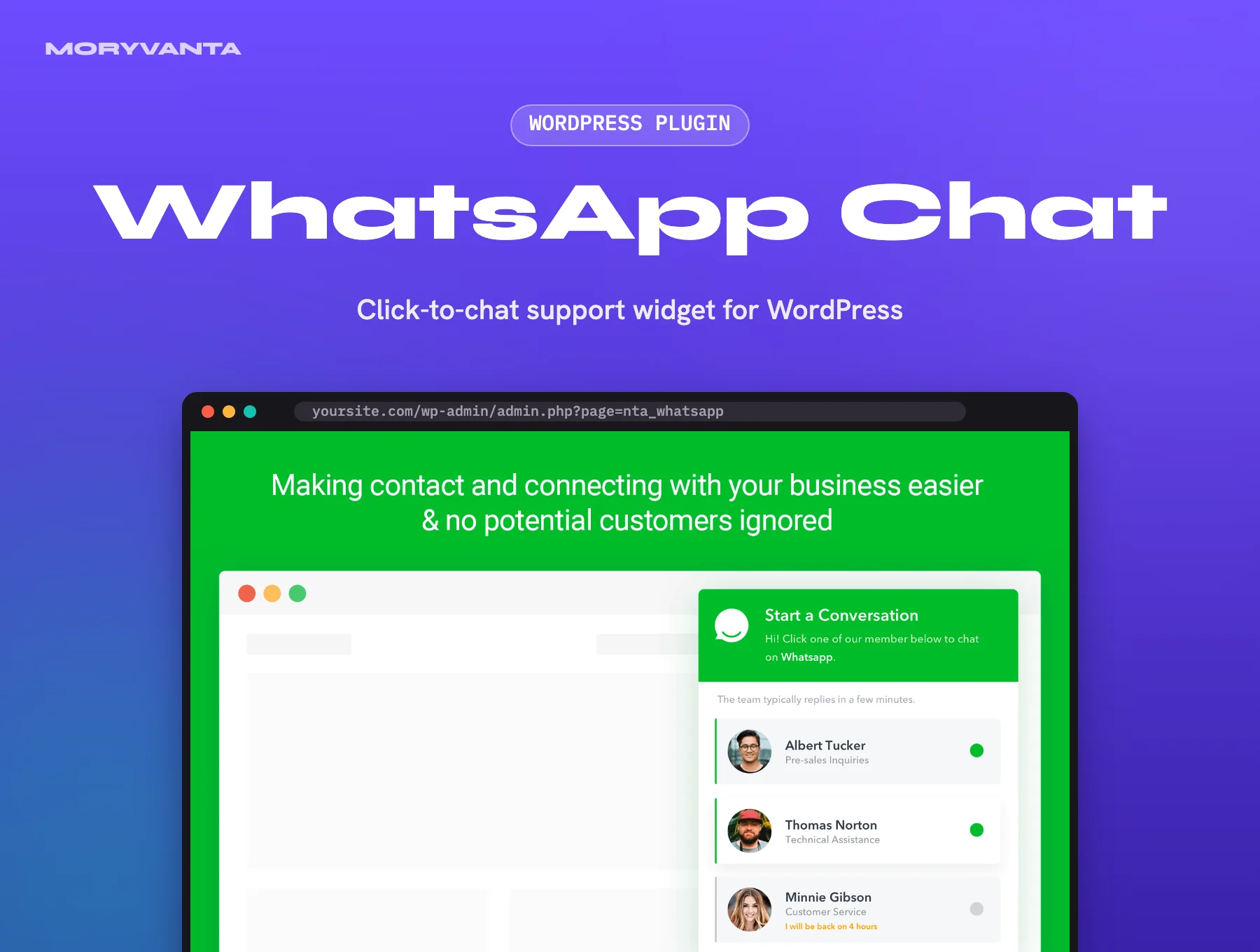
Plenty of customers would rather send a quick WhatsApp message than fill in a contact form or wait for an email reply. This plugin puts that option on every page with a clean floating widget, and routes people to the right person on your team.
You add several agents, each with a name, photo, role and working hours. When someone clicks, they see who is available and can open a chat on their phone or on WhatsApp Web with a pre-filled message. You can also drop buttons into posts, pages or WooCommerce product pages so a shopper can ask about the exact product they’re looking at.
Key features
- Multiple WhatsApp accounts or agents, each with photo, title and schedule
- Availability hours, with offline messages when an agent is away
- Floating widget plus buttons via shortcode or block
- WooCommerce button on product pages with the product link pre-filled
- Display rules to show or hide the widget on specific pages
- Style options for position, colours, text and GDPR notice
Best for
- Small businesses that already answer customers on WhatsApp
- WooCommerce stores that want quick pre-sale questions
- Service providers and agencies taking enquiries on mobile
Requirements
- WordPress 6.x and PHP 7.4+
- A WhatsApp or WhatsApp Business number for each agent
- WooCommerce (optional) for product buttons
What you get
- The original, unmodified WhatsApp Chat WordPress plugin files, version 3.8.2 (updated 27 September 2026)
- Released under the GPL licence
- Use it on as many sites as you own or build for clients
- Instant download from your Moryvanta account after checkout
Good to know
- Moryvanta is an independent GPL redistributor and is not affiliated with or endorsed by NinjaTeam. Product names and trademarks belong to their owners.
- The GPL covers this plugin’s files and updates; NinjaTeam’s purchase code is not part of it. If the plugin asks you to activate with a licence during installation, for example for one-click updates, you’d need to buy that licence separately. Moryvanta support will help you sort it out, through a Moryvanta licence where available or by pointing you to NinjaTeam.
- Chats open in WhatsApp itself; there is no inbox or message history stored in WordPress.
- This is a click-to-chat widget, not the WhatsApp Business API, so it does not send automated or bulk messages.
- Moryvanta support covers downloading and installing the files.
Frequently asked questions
What is WhatsApp Chat WordPress?
It is a WordPress plugin by NinjaTeam that adds a floating WhatsApp chat widget and buttons to your site, so visitors can contact your team on WhatsApp in one click.
Can I have more than one agent?
Yes. Add as many accounts as you like, each with its own working hours and details.
Does it work on desktop?
Yes. On desktop it opens WhatsApp Web or the desktop app; on phones it opens the WhatsApp app.

Reviews
There are no reviews yet.